
Dealer features
Everything on the truck.
Every tool in the program, in depth. You set the rules, you decide what's worth what, and you keep the relationship. Wrench Wallet keeps the count.
Points
You decide what a point is worth.
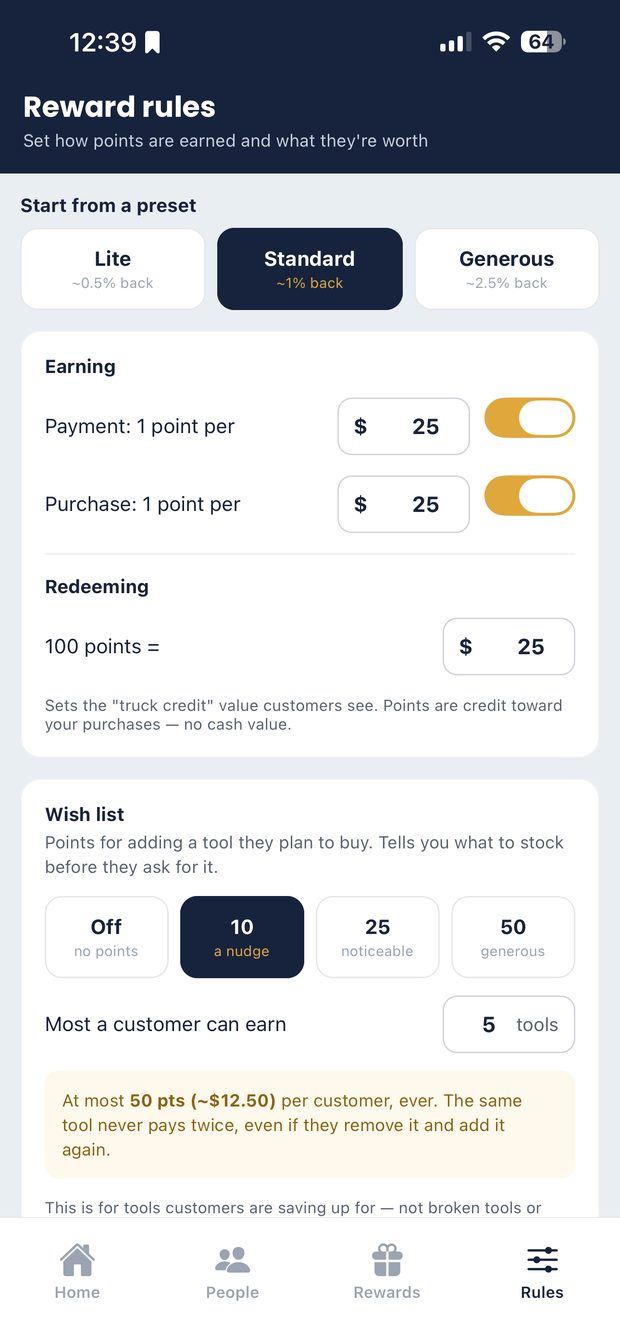
Set how much a customer spends to earn a point, and what points are worth when they redeem. Start from a preset and adjust.
- Presets to start from: Lite, Standard and Generous.
- A payout calculator: type what a typical customer spends and see what they earn in a year, before you commit.
- Purchases and payments can earn at different rates, or switch either off.
- Points are credit toward purchases from your truck. Not cash, not withdrawable, not transferable between dealers.
- Your Home screen shows outstanding credit in dollars, so the number is never a surprise.
Rewards & redeeming
Give the points somewhere to go.
Points with nothing to spend them on is a scoreboard, not a reward program. Build a catalog of your own.
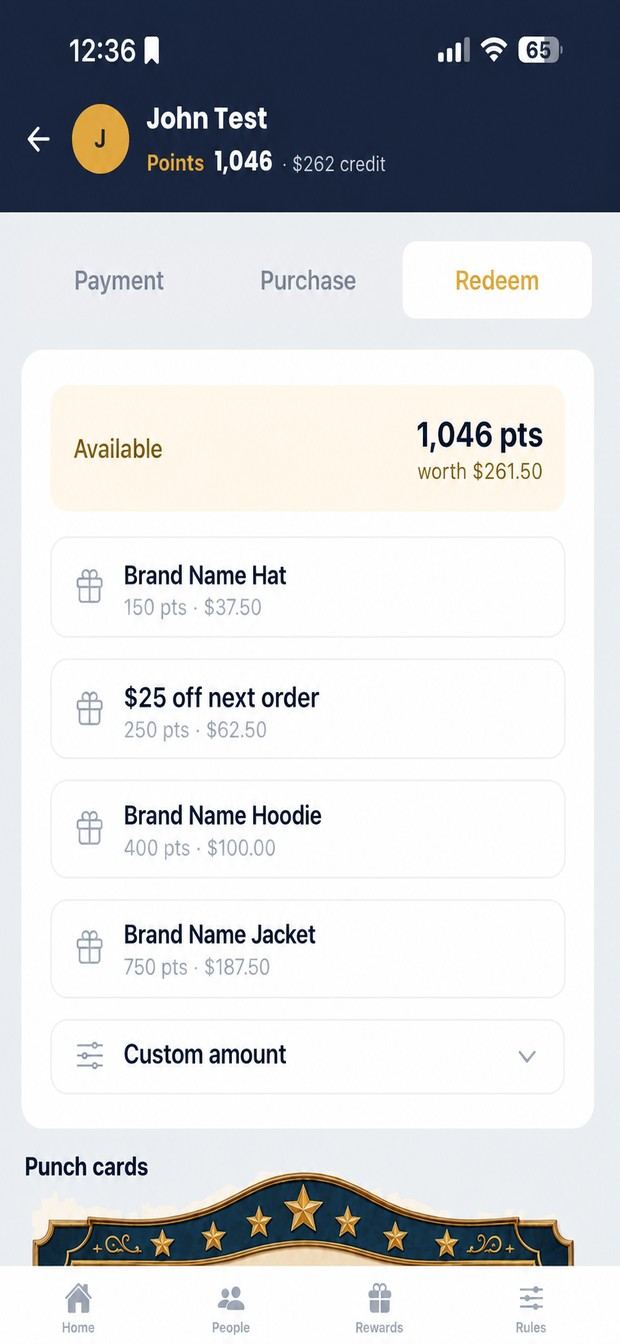
- A rewards catalog you build: a hoodie, a hat, $25 off the next order. Name, cost in points, tier.
- Custom amounts for when nothing on the list fits, with $5, $10, $20 and $50 shortcuts.
- An owed items list for anything promised but not on the truck that day. It stays until you hand it over.
- Balance shown in points and in dollars at the window. No mental arithmetic.
Punch cards
Buy ten, get one. Your number.
The oldest promotion in the business, on their phone instead of in their wallet.
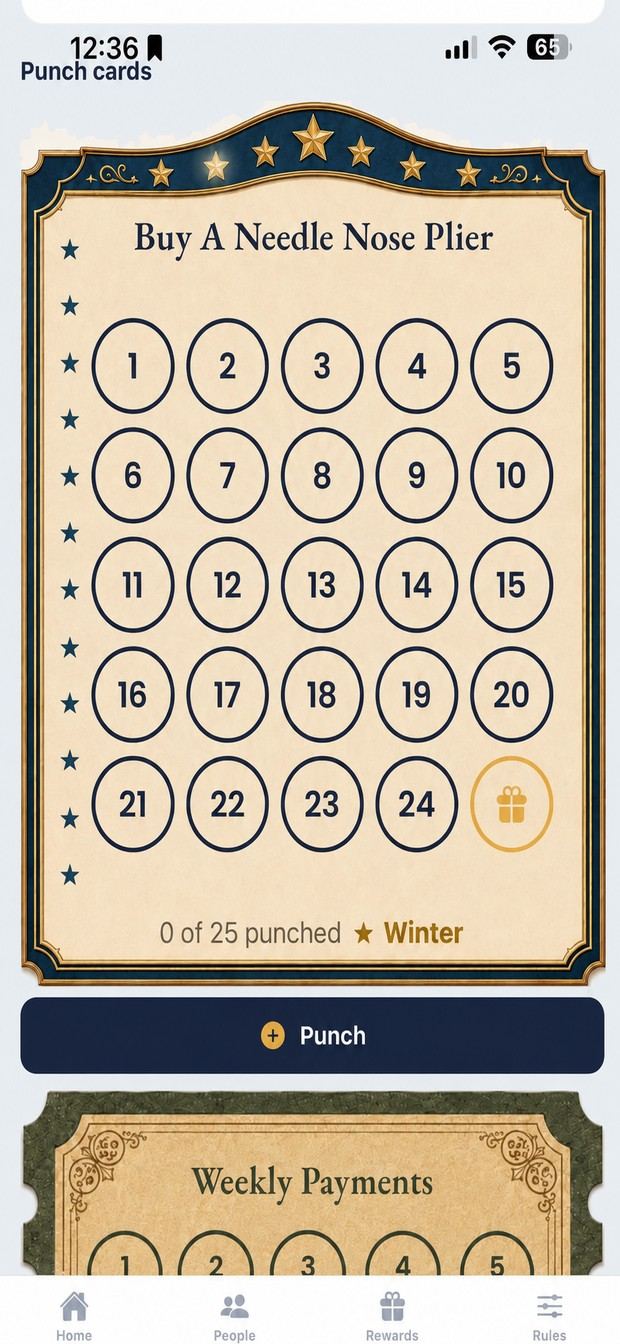
- Ten punches, twelve, twenty-five. You decide when you make the card.
- Earn a punch on a purchase, a payment, a weekly payment, or your say-so.
- A customer can be partway through several cards; each tracks separately.
- Full history behind every card: each punch, purchase and payment, with the points it earned.
- The app asks you to confirm the payment was made before a punch goes on.
Power of 10 & Power of 25
The raffle sheet nobody loses.
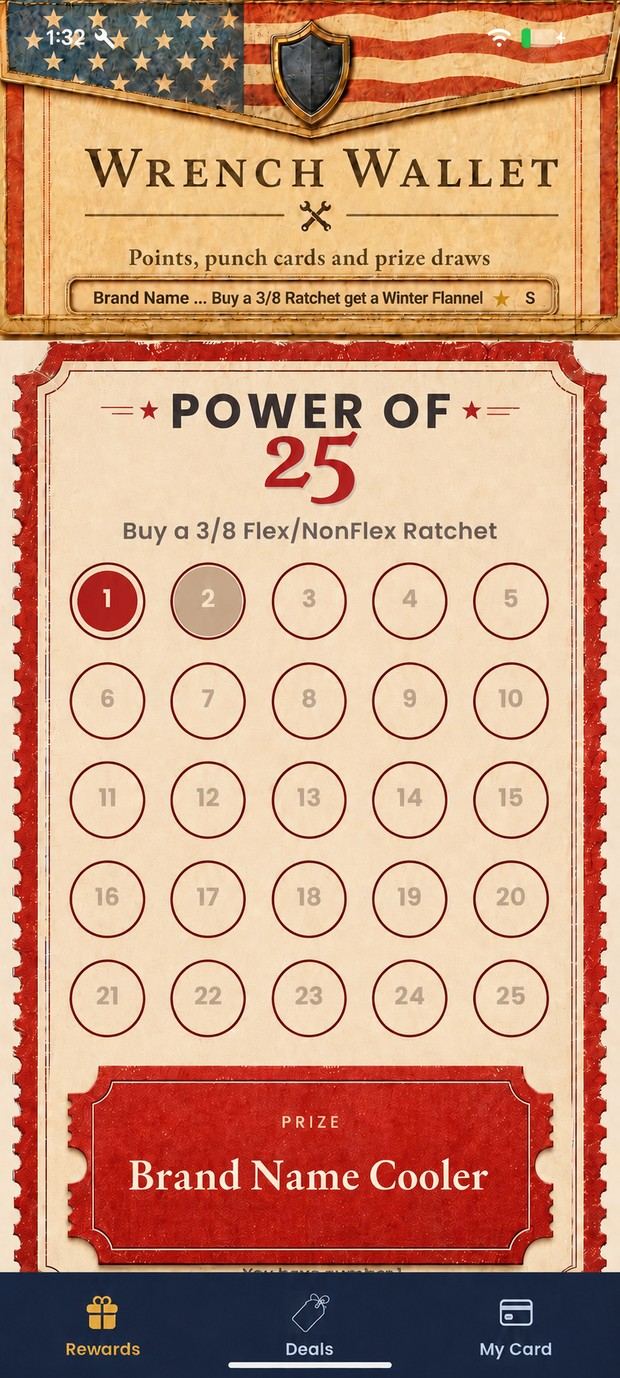
Sell numbered squares on a card. When it fills, you draw a winner.
- Ten numbers or twenty-five. Your price per square, your prize.
- Customers see which numbers are taken, so they can watch it fill.
- When it's drawn, the winner sees it the next time they open the app, and who to see about collecting.
- Keep the prize name short; long names get cut off on a phone.
Ticket drive
Spend money. Earn tickets. You draw.
A contest where purchases earn tickets into a jar on the customer's phone. At the end, you draw the winner.
- Pick the amount and how many tickets it earns. The form reads the rule back to you as a sentence.
- Optionally let extra payments (above someone's normal weekly) earn tickets. A regular payment never does.
- Set the jar levels; the exact count always shows underneath.
- Save and Start are separate, so you can set it up the night before. Earn rules lock once it starts.
Deals & double points
Whatever's on the truck this week.
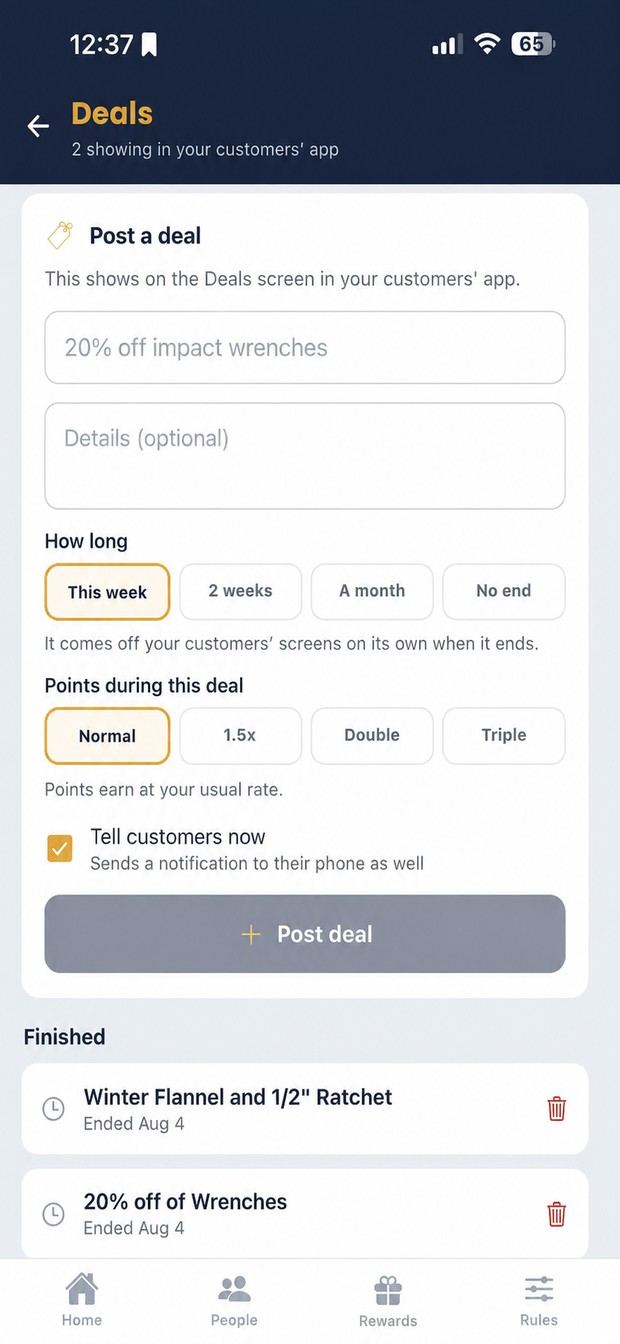
Limited-time offers that scroll across the top of your customers' app. A program with a couple of live deals looks like somebody is running it.
- Mark one as hot and it gets a badge.
- A live countdown; the deal comes off by itself when the date passes.
- Point multipliers (1.5×, double or triple) on every purchase and payment while it runs.
- A multiplier always has an end date and switches itself off. A banner on the Deals screen shows what's live and when it stops.
Wish lists
Your buy list, written by your customers.
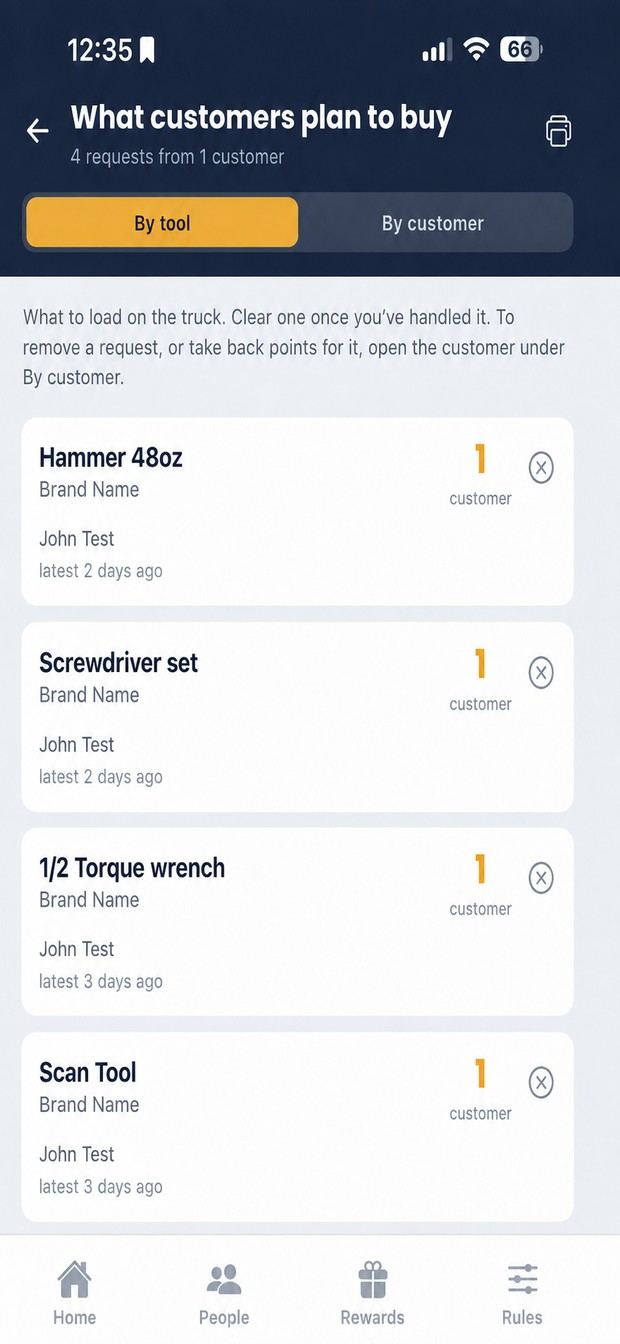
Customers list the tools they're saving for. Twelve people wanting the same ratchet is a purchase order.
- Up to ten tools per customer at a time.
- See it grouped by tool, or by customer.
- A printable summary to take to your distributor.
- Optional points for adding to it (per tool, with a six-month cap) or leave it off and just know what to stock.
Push notifications
Reach the right people. Not everyone.
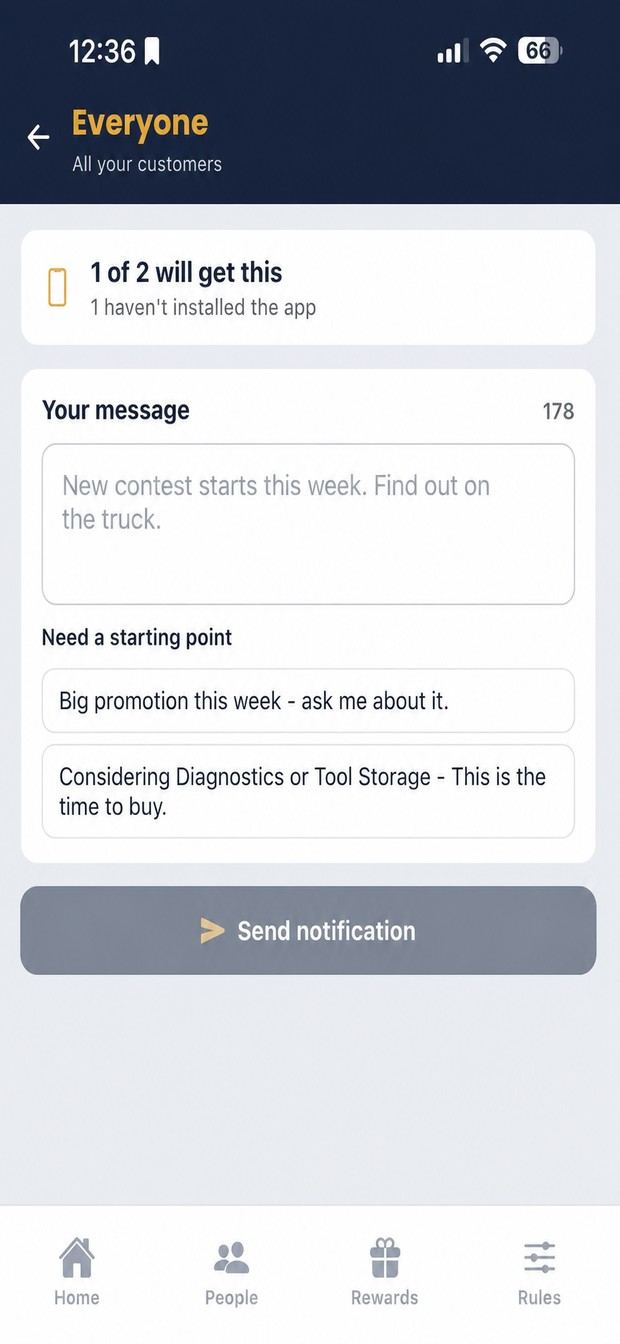
Send a message straight to customers' phones, to a group that's already picked out for you.
- Gone quiet: no purchase in four weeks or more.
- Close to a reward.
- Sitting on points they've never spent.
- Everyone.
- No phone numbers, no texting costs, no reply-all. Suggested lines if you'd rather not write one.
Payments away from the truck
Paid you somewhere else? It still counts.
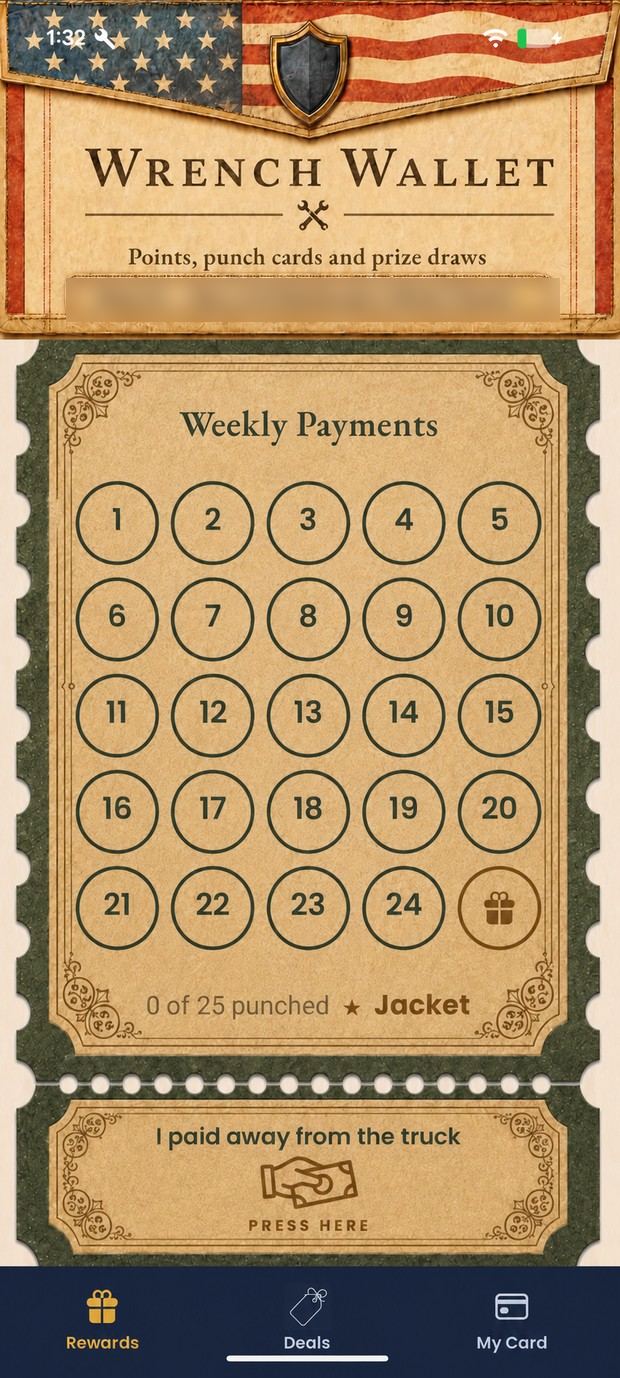
A customer reports the payment in their app. It lands in your approvals. Nothing is added until you say so.
- Saves both of you remembering it next week.
- An empty approvals screen means nothing's waiting.
Flyers
The flyer, without the paper.
Upload a multi-page flyer and your customers can read it in the app: the whole thing, page by page, whenever they like.
Referrals
Let the shop spread it for you.
Every customer has their own code and an invite-a-coworker button. You decide whether bringing someone in earns points.
- Off, or $1, $2 or $3 of points per new customer.
- It pays when the new customer makes their first purchase or payment, never at signup. Empty signups cost you nothing.
- A referral code only counts at signup, so nobody pairs up months later.
Join code & poster
Six characters. That's the sign-up.
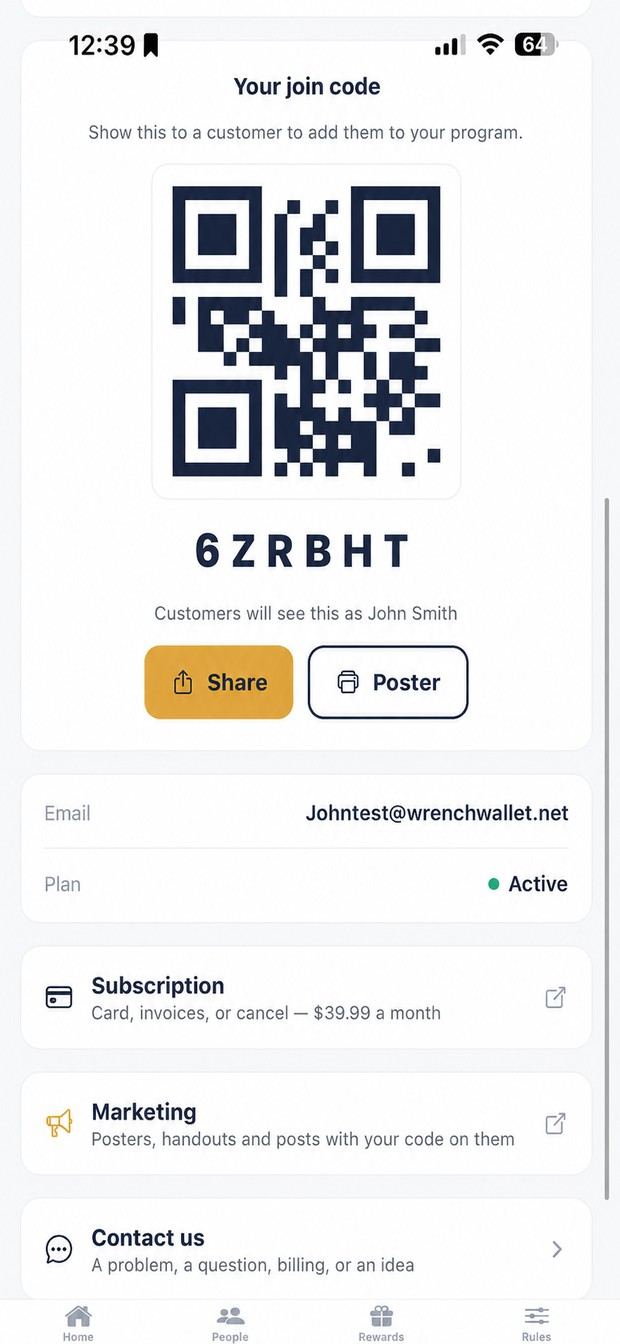
Every dealer gets a six-character join code. Customers type it once, or scan the QR.
- The QR is on your Account screen. Turn the phone round and let them scan it.
- Print a poster from the app: Account → Poster. One where people wait to pay, one on the door.
- One customer account can join several dealers. Balances stay separate.
Example code shown. Yours is assigned to your account.
Dashboard
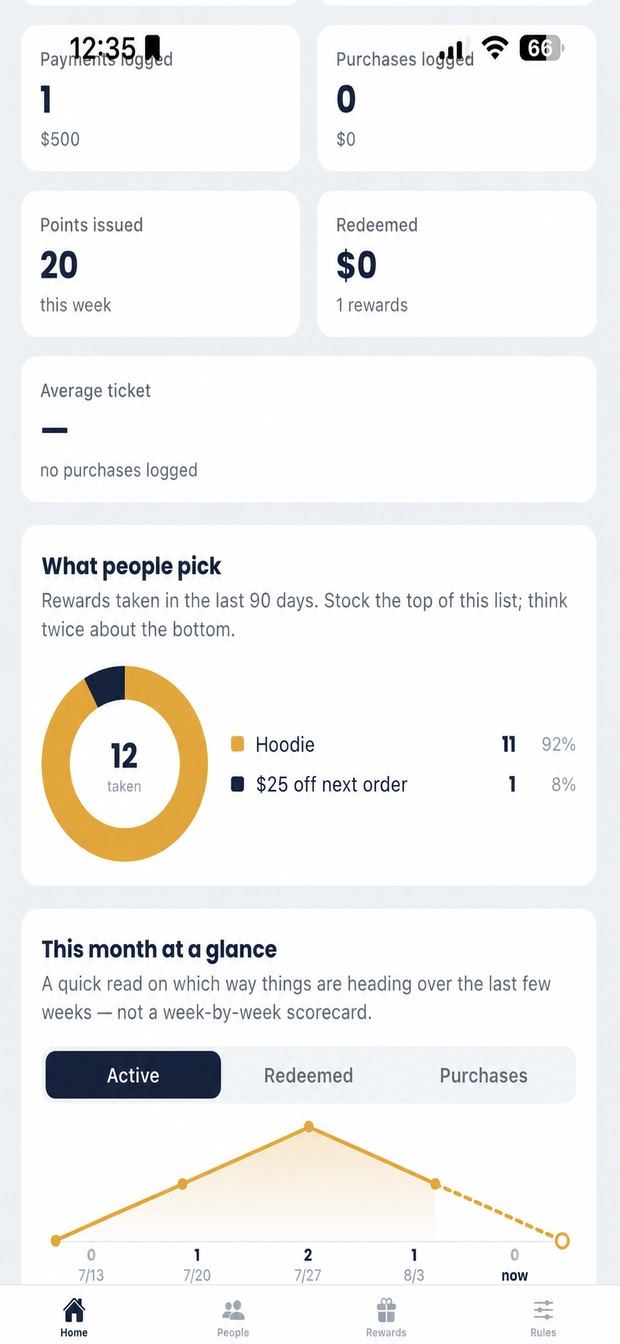
Which direction you're heading.
Worth a look once a week rather than every day.
- Points issued and rewards taken.
- Average ticket: are points making people spend more?
- What people pick: stock the top of the list, drop the bottom.
- A five-week trend.
- This week, this month, or all time.
Web dealer console
Same program. Bigger screen.
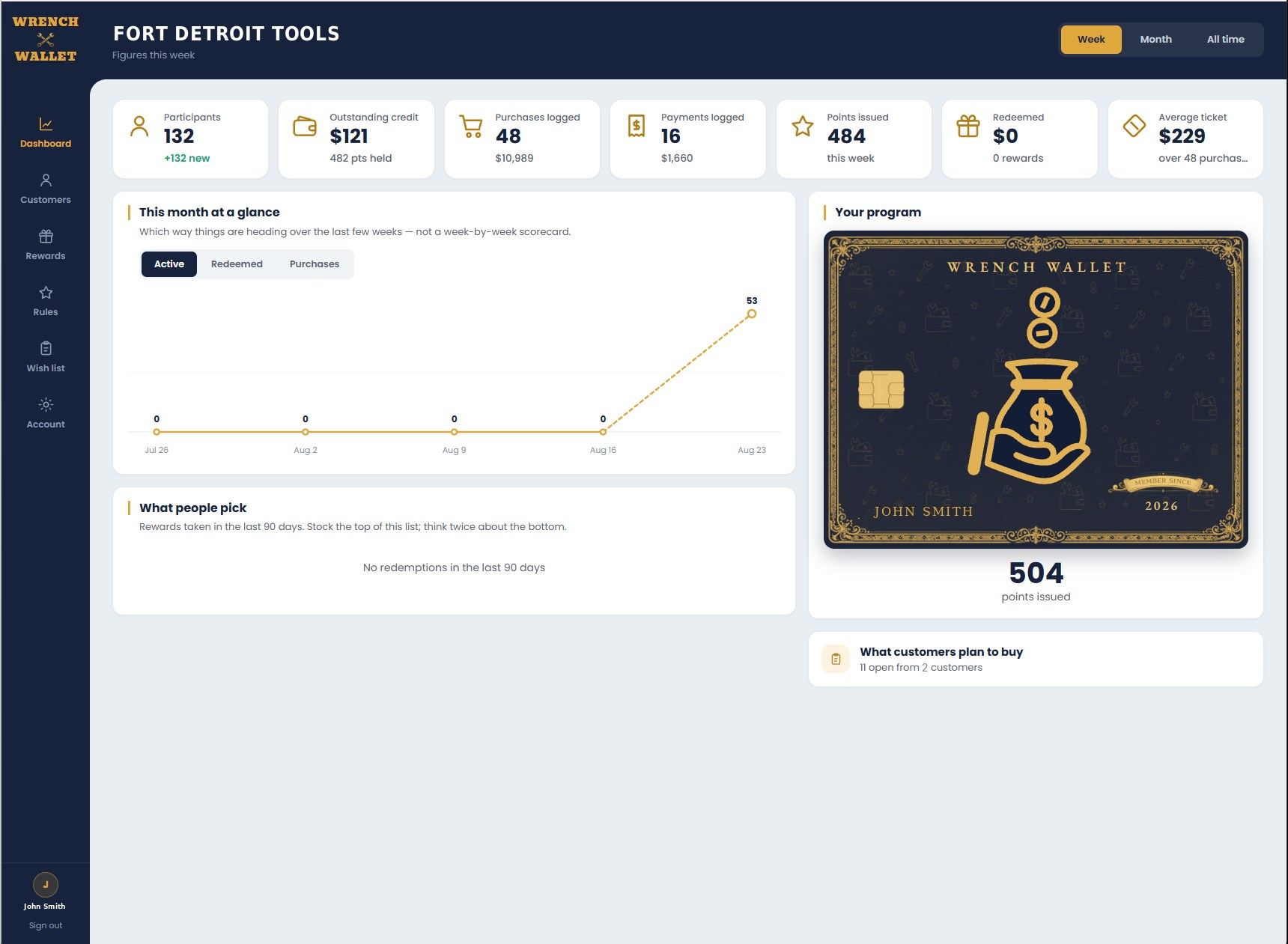
Everything in the dealer app, in a browser at wrenchwallet.net/dealer. Same login, same customers, same numbers. Nothing to sync and nothing extra to pay.
- Setup goes faster sitting down; a keyboard beats a phone for typing rules.
- End of the day with a stack of tickets to enter, the console is the quicker one.
- At the window, the phone is still the right tool.
All of it, one price
$39.99 a month per truck.
Every feature on this page. No setup fee, no per-customer charge, no hardware.